
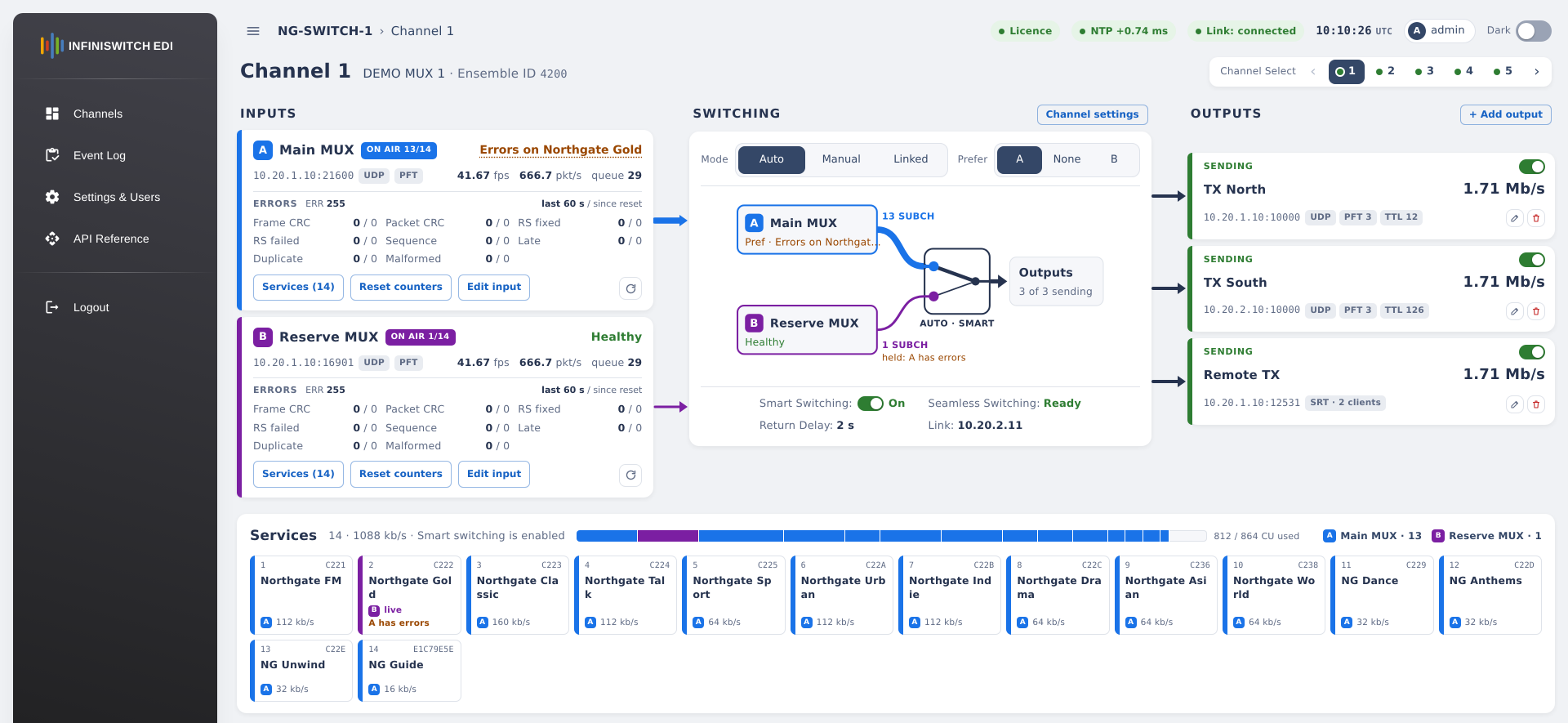
A redesigned web interface. One Channels table shows every switch at a glance; each channel opens to a live switching diagram, both inputs and every output.
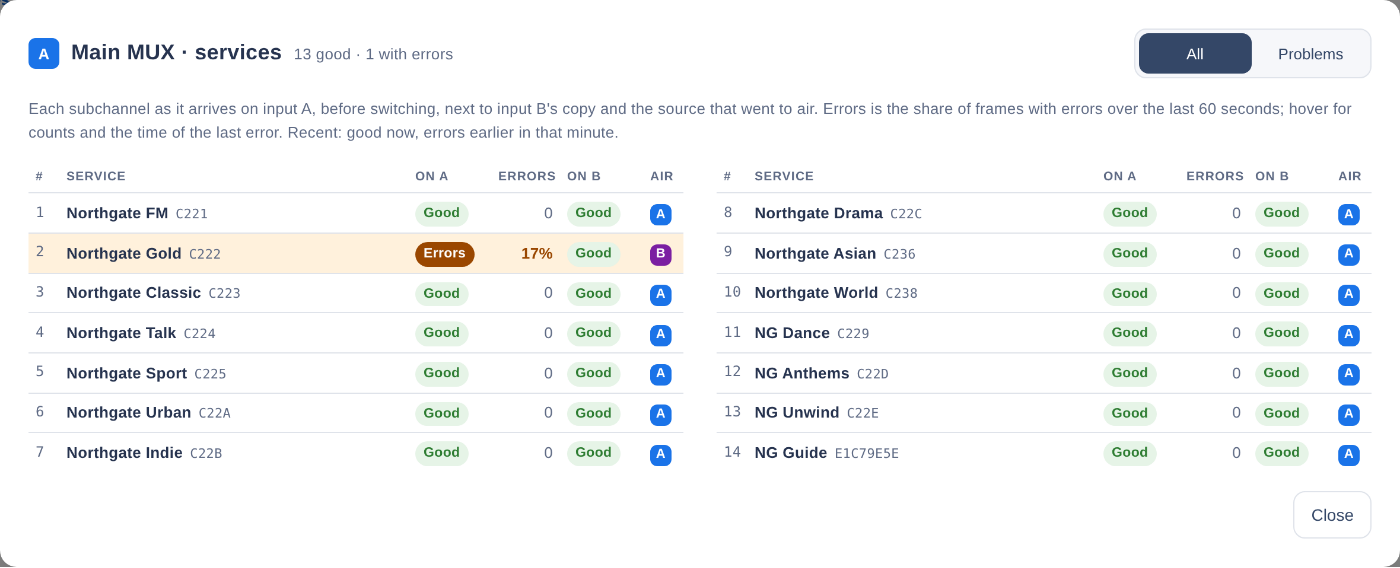
See every service. The status of each subchannel on input A and input B, side by side, with the source that went to air.
Smart Switching in Linked mode. Linked units stay in step and still repair individual services.
A new event log. Switches, alarms, user actions and sign-ins in one place, with filters, free-text search, live refresh and CSV export.
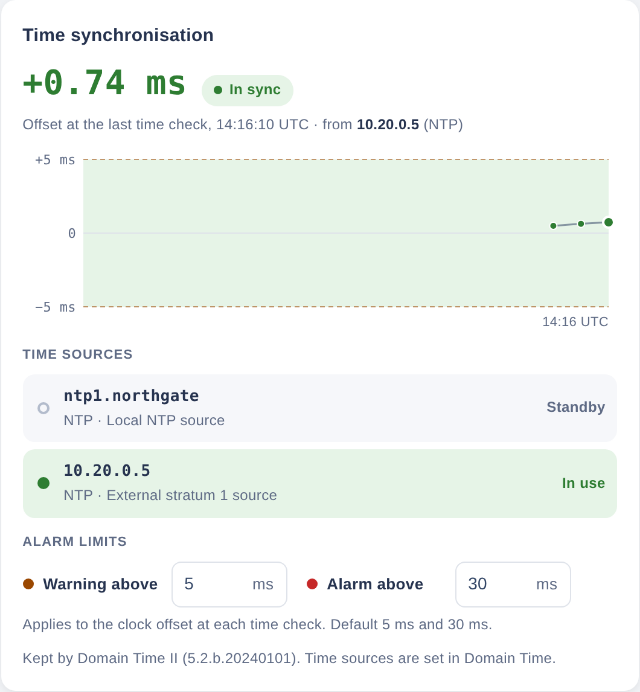
Time synchronisation monitoring. InfiniSwitch watches its Domain Time II clock and alarms before an SFN drifts.
Two-factor sign-in. Optional authenticator-app codes, per user, on top of HTTPS and role-based access.
SNMPv3 traps. Trap hosts, community or SNMPv3 user, and heartbeat, all set from the web interface.
Built-in API reference. A full REST API with an OpenAPI description, browsable from the unit itself.
Whether you run one small-scale multiplex or a national network, InfiniSwitch EDI fits
the way you work: protect one multiplex today and add more by licence as you grow.
Both feeds are buffered and matched by EDI frame count, so the frame that goes to air from input B is the very frame that input A would have sent. Faults are recognised within one 24 ms frame, and every switch takes place on the next 10-frame (240 ms) boundary, so no DAB+ superframe or MPEG audio frame is ever split between inputs. Receivers never notice.
Auto mode prefers input A, input B or neither, and returns to the preferred input after a return delay you choose (0 to 3600 s). Manual holds either input on air. Linked keeps two units in step.
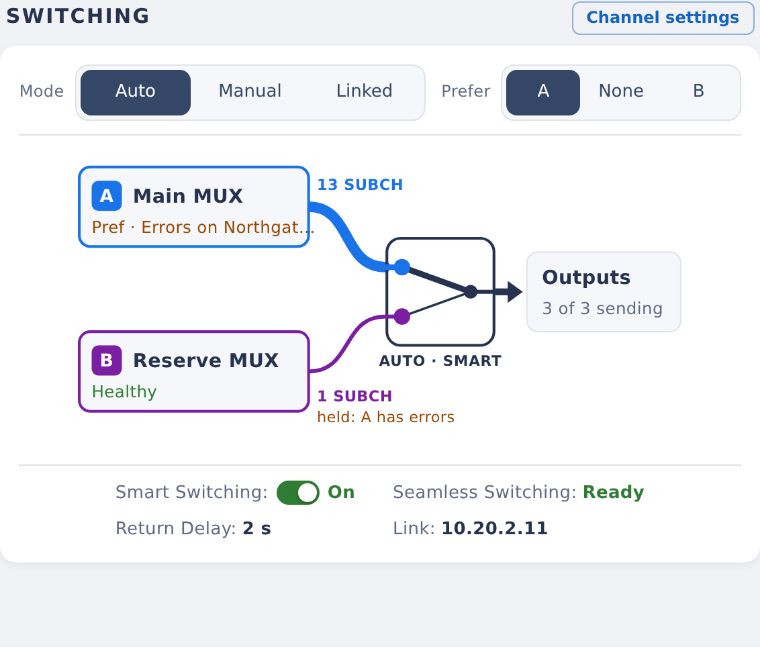
A conventional changeover switch picks one whole feed, so a single damaged service forces the whole multiplex across, or stays on air. Smart Switching chooses the better copy of each subchannel: a damaged programme is taken from the other input while every other station plays on, untouched, and it returns to the main feed by itself the moment the main feed is clean.
The services view shows every subchannel on input A and input B side by side, with the source that went to air. Smart Switching is a licensed option and works in Auto and Linked modes.
From the headend to the transmitter site, InfiniSwitch protects the point where it matters.
Ride through a multiplexer or encoder fault. Smart Switching builds one clean multiplex from the two.
Send one multiplex over managed IP and SRT over the internet, and switch seamlessly at the transmitter. Broadcast-grade protection without a second leased line.
Two InfiniSwitch units at different sites switch in step, keeping both outputs identical. Even your protection has a backup.
In Absolute timing, every frame leaves at its EDI timestamp plus your offset, locked to UTC, so every transmitter in a single-frequency network stays in time. A receive queue of 10 to 500 frames absorbs jitter and the delay between the two paths.
InfiniSwitch monitors its Greyware Domain Time II clock and raises a warning, then an alarm, when the offset passes the limits you set (5 ms and 30 ms by default), before your network drifts.
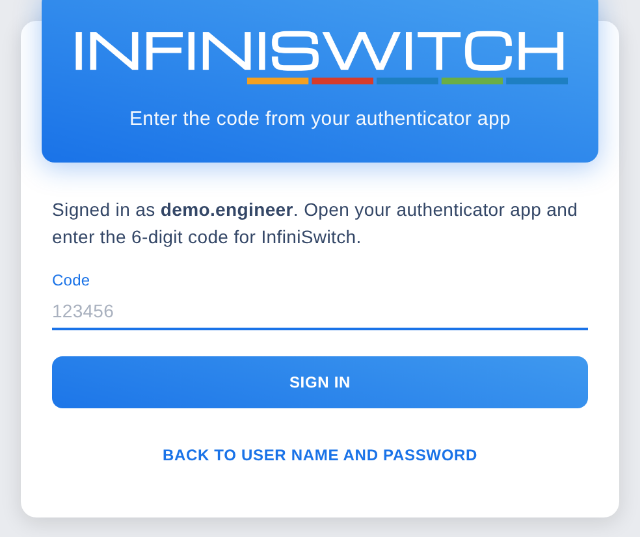
InfiniSwitch runs as a service and is managed from any current browser over HTTPS. Sign-in can require a code from an authenticator app, and Monitor, Operator and SuperUser roles decide who can watch, who can act and who can configure.
Every switch, alarm, change and sign-in is recorded in the event log, ready to filter, search and export as CSV. SNMP v2c or v3 traps and a REST API with an OpenAPI description slot straight into your monitoring and change control.
One InfiniSwitch instance protects as many multiplexes as its licence allows, each with any number of outputs, all in a single interface. Fifteen switches have been verified on a single 16 vCPU virtual machine. For separate sites, link two units and they make the same decision about what to output.
 Two
inputs per switch (A and B): EDI (ETSI TS 102 693) carrying ETI or STI-D Input
transport: UDP unicast or multicast (incl. source-specific), TCP client, SRT caller; PFT with Reed-Solomon
correction Any
number of outputs per switch, each with its own delay (0–255 frames) Output
transport: UDP unicast or multicast with PFT, FEC levels 1–5 and spread; TCP server; SRT listener Auto
(prefer A, B or None), Manual (hold A or B) and Linked modes Faults
recognised within one 24 ms frame; switching on the next 10-frame (240 ms) boundary Smart
Switching per subchannel (licensed option) Absolute
(UTC-locked, offset ±500 frames) or Relative timing; receive queue 10–500 frames HTTPS web
interface with optional two-factor authentication Monitor,
Operator and SuperUser roles Event
log and audit trail with CSV export; daily log files kept 30 days SNMP
traps (v2c or v3); REST API with OpenAPI description VMware
ESXi v6.7 or newer (v7.0 recommended) or Oracle VM VirtualBox Intel
Xeon E5 v4, Xeon Scalable (Silver, Gold or Platinum) or Xeon 6 processors 16
vCPUs minimum (2 sockets × 8 cores per socket) Memory -
8GB RAM Storage -
2GB free disk capacity for installation Intel
i5/i7 CPU (Coffee Lake generation or newer) Memory -
8GB RAM; storage - 2GB free disk capacity Redundant
Power Supply Units recommended Windows
11 Pro (build 21H2 or newer) Ubuntu
24.04 LTS or newer, Debian 12 or newer Greyware
Domain Time II as the only time client InfiniSwitch
EDI can also be deployed as a container on a Linux host. Please contact Factum Radioscape support to
discuss a containerised deployment.